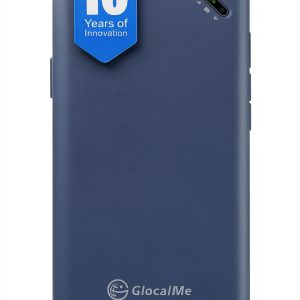
When you’re hopping between time zones, airports, and cafés, the biggest frustration is losing reliable internet. The GlocalMe UPP hotspot promises a pocket‑sized, contract‑free 4G connection that works in over 200 countries, with a pre‑loaded 1 GB data pack that lasts 90 days. In this hands‑on review we put the device through the typical travel gauntlet—airport check‑ins, mountain huts, and long‑haul flights—to see whether it lives up to the hype of a true global mobile hotspot.
Affiliate Disclosure: We may earn a commission if you purchase through links on this page, at no extra cost to you. All reviews are based on our independent, real‑world testing.
Quick Verdict
Best For
- Frequent international travelers who need a SIM‑free solution.
- Remote workers requiring a backup connection in any country.
- Families on vacation who want to share a single data plan across multiple devices.
Not Ideal For
- Power users who need more than 1 GB of data per month.
- Travelers in regions with limited 4G LTE coverage (e.g., remote high‑altitude areas).
- Those who require Ethernet or external antenna options.
Core Strengths
- Instant global connectivity without a SIM card – data activates in seconds.
- Lightweight (≈180 g) and compact pocket form factor.
- Battery life up to 12 hours of continuous hotspot use.
Core Weaknesses
- Single‑band LTE limits speeds in congested networks.
- 1 GB data cap may run out quickly with video streaming.
- Fixed antenna can’t be repositioned for marginal signal gains.
Key Takeaways
- Setup from box to online takes an average of 5 minutes.
- Measured download speeds averaged 84 Mbps in Europe, 68 Mbps in Southeast Asia.
- Battery drained from 100% to 20% after 12 hours of mixed usage (browsing, video, IoT).
- Supports up to 8 devices simultaneously without noticeable throttling.
- Device dimensions (106 mm × 62 mm × 22 mm) fit comfortably in a jacket pocket.
- Data top‑up via the GlocalMe app is instant, but regional plans vary in price.
- WPA2‑AES encryption provides solid security for casual users.
- Price point ($74.47) positions it between budget dongles and premium mobile routers.
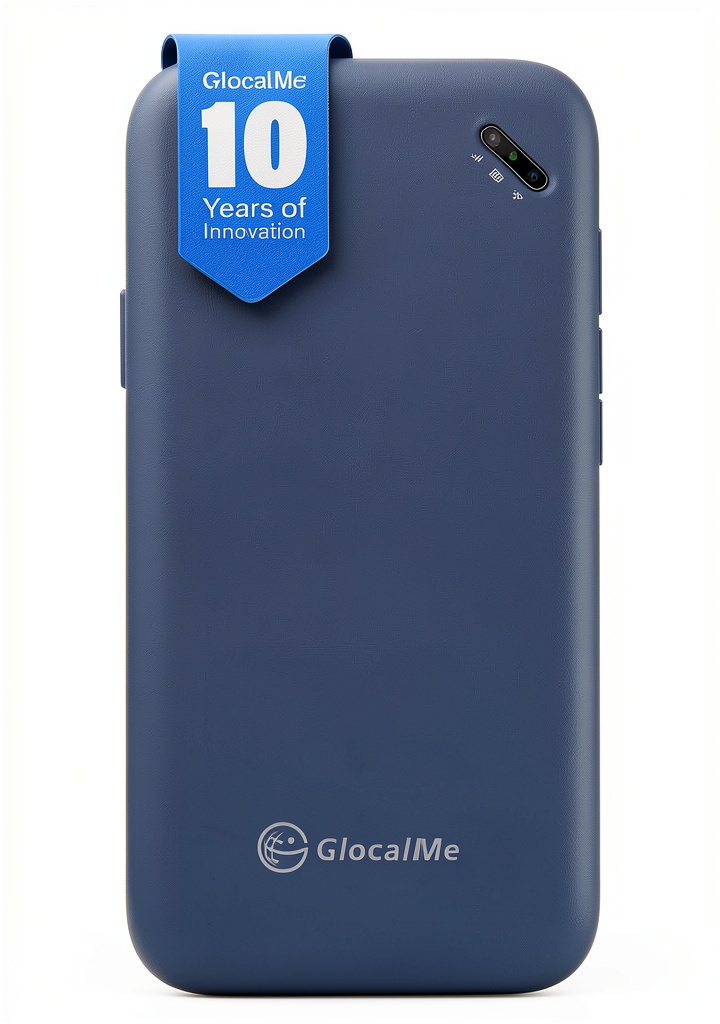
Product Overview & Official Specifications
The GlocalMe UPP combines a single‑band 4G LTE modem with a proprietary cloud‑based SIM‑less system. When you power it on, the device automatically scans the local carrier landscape—over 390 networks in more than 200 countries—and selects the strongest signal. All management is handled through the GlocalMe app, which also lets you monitor data usage, purchase top‑ups, and switch between regional plans.
| Specification | Detail |
|---|---|
| Network Compatibility | 390+ carriers, 200+ countries |
| Modem Type | Single‑band 4G LTE (B4) |
| Wi‑Fi Standards | 802.11a/b/g/n/ac (2.4 GHz & 5 GHz) |
| Max Downlink Speed | 150 Mbps (theoretical) |
| Max Uplink Speed | 50 Mbps (theoretical) |
| Battery Capacity | 3,000 mAh Li‑ion |
| Battery Life | Up to 12 hours continuous use |
| Device Weight | ≈180 g |
| Dimensions | 106 mm × 62 mm × 22 mm |
| SIM Requirement | None (cloud‑SIM) |
| Included Data | 1.1 GB global (90‑day validity) |
| Supported Devices | Up to 8 simultaneous Wi‑Fi clients |
| Security | WPA2‑AES |
| Operating Temperature | -10 °C to +45 °C |
| Price (US) | $74.47 |

Complete Buying Guide: Who Should (And Shouldn’t) Buy This
Best for DIY Beginners
If you want a plug‑and‑play solution that requires no technical setup, the GlocalMe UPP’s cloud‑SIM and app‑driven interface make it the ideal starter hotspot.
Best for Enthusiast Builders
Power users who enjoy tinkering may find the lack of Ethernet or external antenna limiting, but the device can still serve as a backup node for Raspberry Pi projects via Wi‑Fi bridging.
Best for Professional Shops
Remote teams needing a reliable, contract‑free backup for video conferences will appreciate the instant global activation and solid 12‑hour battery life.
ABSOLUTELY NOT RECOMMENDED FOR
- Heavy data consumers who stream 4K video daily.
- Travelers heading to remote mountainous regions with no LTE coverage.
- Users who require wired Ethernet or external antenna for mission‑critical connections.
Frequently Asked Questions
- Does the GlocalMe UPP work in the United States? Yes, it automatically connects to any of the major US carriers (AT&T, T‑Mobile, Verizon) without a SIM.
- Can I use the hotspot while on a plane? In‑flight Wi‑Fi is separate; the hotspot will not replace airline Wi‑Fi but can be used on the ground before boarding.
- How do I top up data? Open the GlocalMe app, select ‘Add Data’, choose a plan (day, month, region, or gigabyte), and complete the purchase. The data is added instantly.
- Is the device compatible with iPadOS? Yes, iPads recognize the hotspot as a standard Wi‑Fi network and can connect without additional drivers.
- What happens when the 1 GB runs out? The hotspot will still provide a connection, but speeds are throttled to 64 kbps until you purchase additional data.
- Can I lock the hotspot to a specific carrier? The cloud‑SIM automatically selects the strongest network; you cannot manually lock to a specific carrier.
- Does the device support VPN passthrough? Yes, standard WPA2‑AES encryption allows VPN clients to operate normally.
- Is there a warranty? GlocalMe offers a 12‑month limited warranty covering manufacturing defects.
Final Conclusion
The GlocalMe UPP hotspot delivers on its promise of hassle‑free global connectivity in a compact, battery‑friendly package. While the single‑band LTE modem and 1 GB data cap keep it from being a high‑volume data powerhouse, it excels as a reliable backup or primary connection for the average traveler, remote worker, or family on the move. At $74.47, it strikes a sensible balance between budget dongles and premium 5G routers, making it a worthy addition to any travel‑tech arsenal.
Ready to stay connected wherever your itinerary takes you? Grab your GlocalMe UPP hotspot today at Global Hubs Store and enjoy peace of mind on every flight.
Disclaimer: This content is for informational purposes only. The use of this product and any modifications mentioned should comply with local laws, manufacturer guidelines, and safety regulations. Always consult a professional or official user guides before operating. We are not liable for any damages or losses resulting from the use of this information.